
Cloudflare real readers or bots?
I deployed my devSecops blog on cloudflare a week ago and I can see the analytics of the readers.
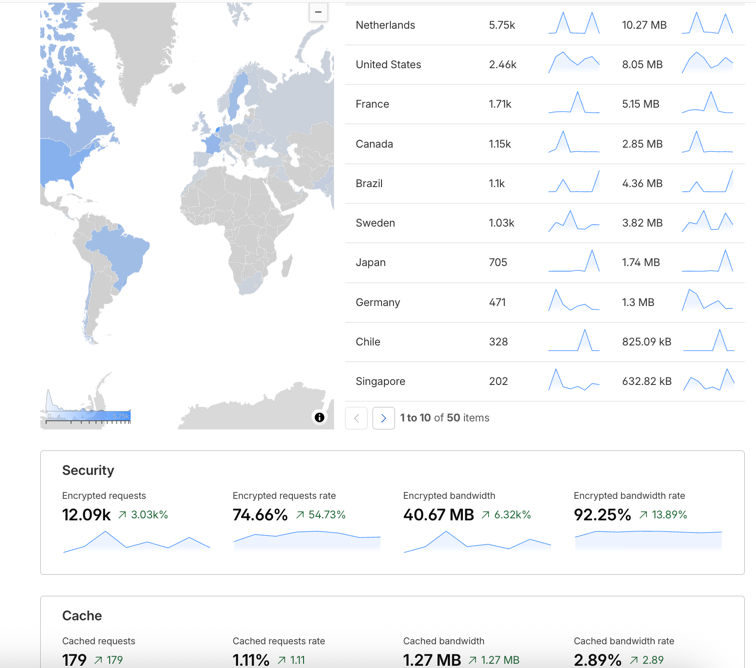
Requests are 16.19K, visits are 1.46K and page views are 2.16K. Is it 1.46K real readers?
Let’s get happy? Nope! What cloudflare is telling us? So here is a better interpretation of the data.
Breakdown of the data
Visits (1.42K) — Unique sessions.
A “visit” is counted when someone arrives at your site from an external source (or after ~30 minutes of inactivity). One person browsing several pages in one sitting is typically a single visit. This is your closest proxy for “how many times someone came to the site.”
Requests (19.98K) — Every individual HTTP call your server/Cloudflare handled.
Loading one page fires many requests: the HTML, plus each CSS file, JavaScript file, image, font, favicon, API call, etc. This is why requests dwarf the other numbers — a single page view can easily generate 10–20+ requests.
Page views (2.11K) — The number of actual HTML pages rendered.
This counts each time a page document loads, regardless of how many assets it pulls in. The relationships make sense:
2.11K page views ÷ 1.42K visits ≈ 1.5 pages per visit — on average each visitor looked at about 1–2 pages before leaving. Fairly typical for a content/portfolio site. 19.98K requests ÷ 2.11K page views ≈ 9.5 requests per page — each page loads roughly 9–10 assets. Reasonable for a modern site, though if you wanted faster load times you could look at bundling/reducing assets.
Better data
Let’s go to dashboards -> security overview
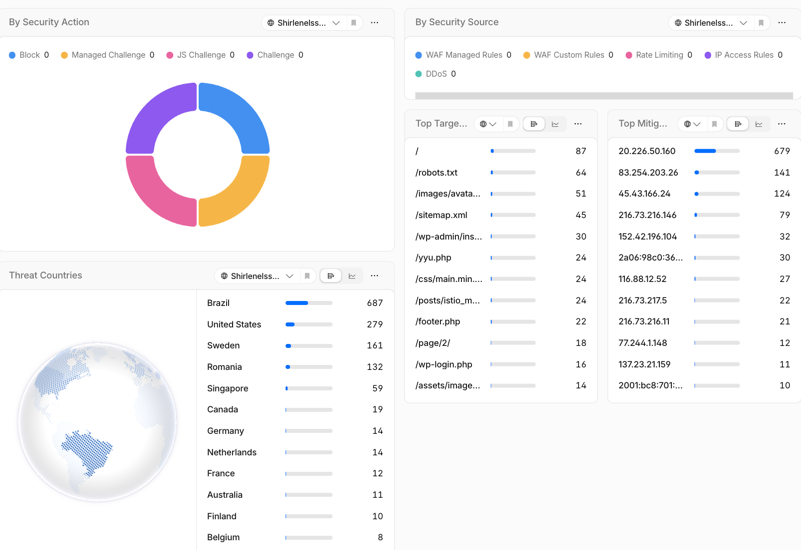
if we look at the security overview, we can see the top targets are mostly bots, and the top countries are mostly bots too. So we can see that the traffic is mostly bots. But how do we come to the actual readers count?
Filter by USA
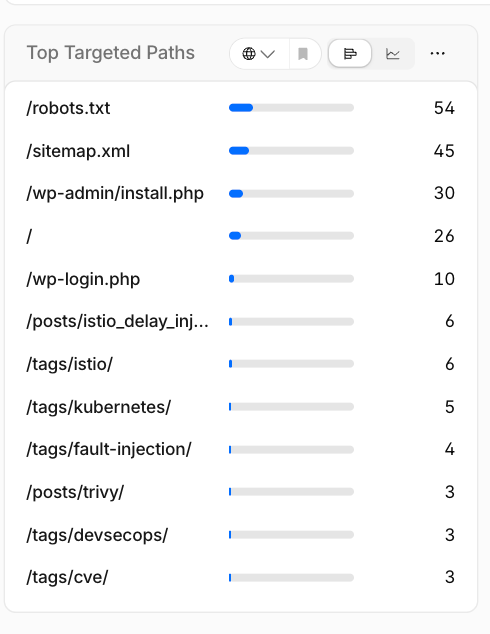
we can see that the top targets are mostly bots, because top targets like /wp-admin/install.php, /wp-login.php, /wp-includes/Text/, /yyu.php, /footer.php are all bots. So we see around actual rendered pages are around 30 within 24 hours.
Even so, we can see the actual IP addresses and verify if they are bots or not. use https://www.whois.com/whois/ site to check it out.
How do we help filter out the bots? I’m using the cloudflare free plan. Hmm. Well, we can use the Bot Fight Mode!!
What is Bot Fight Mode?
When Cloudflare sees a request it thinks is from a bot, it issues a computational challenge — a small math/cryptographic puzzle the visitor’s browser has to solve before the request goes through. A real browser solves it silently in a fraction of a second; the human never sees anything. A simple bot or script usually can’t solve it (or it makes botting expensive enough that they give up). Cloudflare also specifically targets bots coming from cloud/hosting providers — exactly the AWS, Azure, DigitalOcean, and VPS IPs you’ve been seeing in your logs.
How to enable it?
- Log in to your Cloudflare account.
- First create the WAF skip rule for (cf.client.bot) so verified bots (Googlebot, Bingbot) are protected.
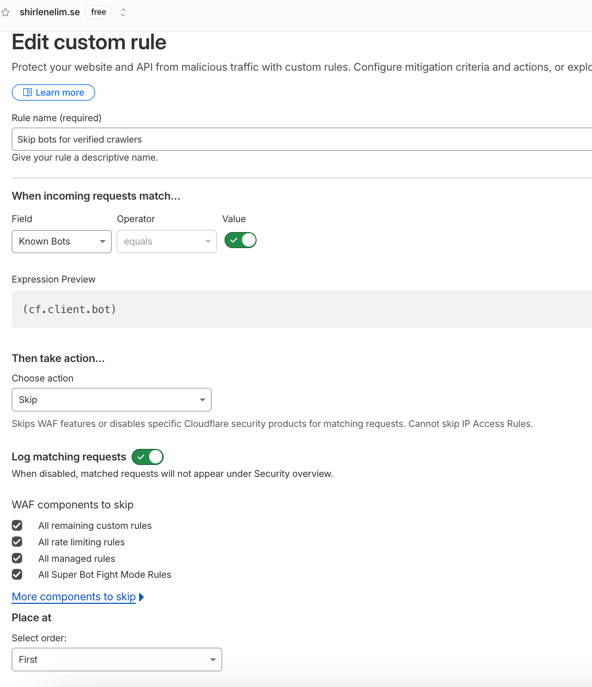
- Then toggle Bot Fight Mode on. Select the domain for which you want to enable Bot Fight Mode.
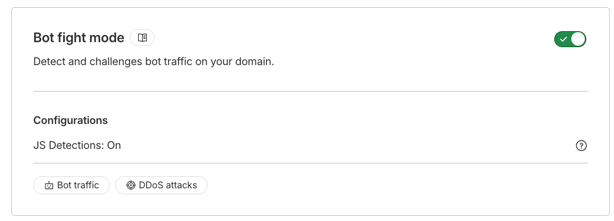
- check on google search console if the bot fight mode is not blocking the googlebot.